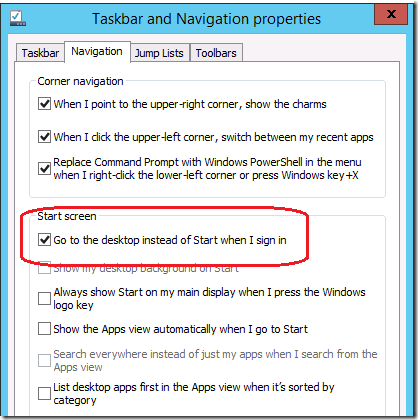
With the release of Windows Server 2012 R2 Preview many people are very pleased with the new option called "Go to the desktop instead of Start when I sign in" that allows then to boot direct the the desktop when the logon. If if follow this blog you know I have mentioned this "boot to desktop" option a few time here and here. So I quickly started for a Group Policy setting to see if this was also natively configurable via Group Policy... unfortunately... its not. But the good news is still very easy to configured via Group Policy by making a simple single registry key setting change.
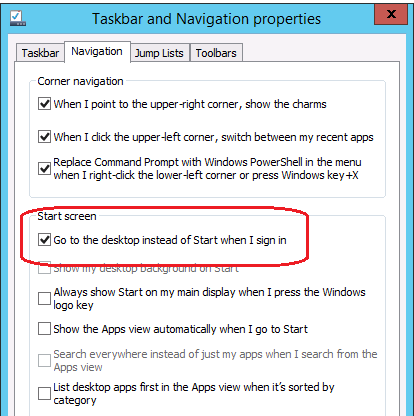
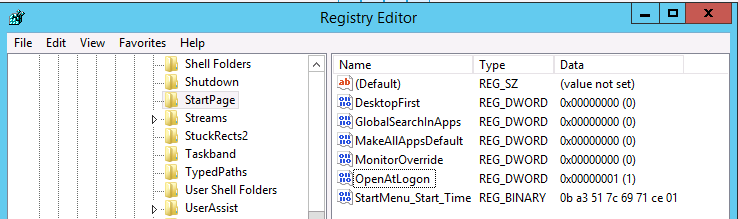
Using process monitor I was quickly able to find the new registry key that configured this option.

Key: HKCU\Software\Microsoft\Windows\CurrentVersion\Explorer\StartPage\
Value: OpenAtLogon
Value Type: Reg_DWORD
Value Data: "0" Boots to the Desktop
Value Data: "1" Boots to the Start Menu
After doing some more search there does not appear to be a corresponding "policy" version of this registry key meaning it is not available as a native administrative templates Group Policy...
But as I mentioned before it can still be configured via Group Policy Preferences using the registry extension option. To do this simply apply the registry key as described above to a group policy object targeted to the users account.
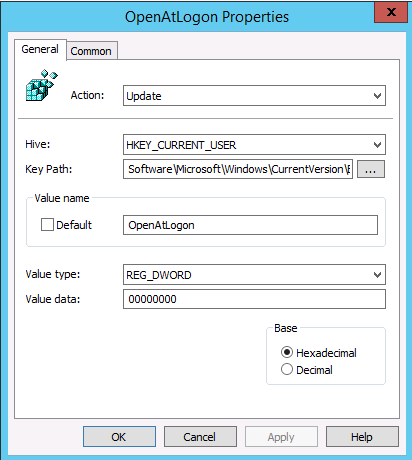
Remember: You need to Configure the value to "0" if you want to boot to the desktop.
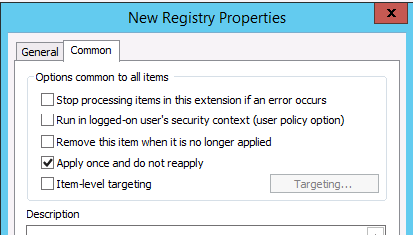
I would also recommend the "Apply once and do not reapply" option be enabled as this will give the user the option to change it to their own preference if they wish...
TIP: I also found that this same location is where the other Start Screen setting are stored if you want to configured the other settings..
So there you have it. With only a single registry key change you can now you easily configure the option to enable the "Boot to desktop" option via Group Policy for all your users... YEAH!