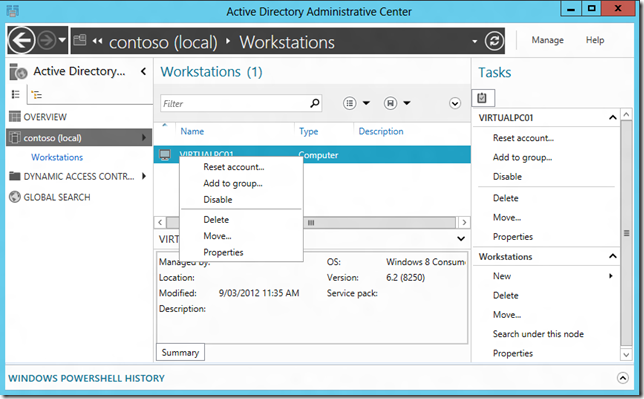
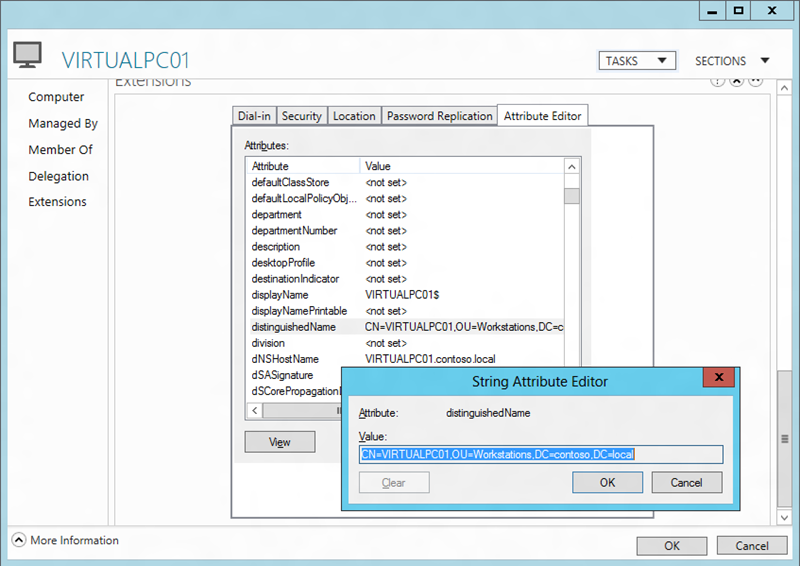
As I mentioned in my previous blog post there is a new Group Policy setting called "Redirect folders on primary computers only". As the descriptions says this "policy setting is useful to improve logon performance and to increase security for user data on computers where the user might not want to download private data, such as on a meeting room computer or on a computer in a remote office.". Problem is there is no UI in Active Directory Users and Computers to configure a primary computer on a users account. So below I show you how you can configure a primary computer on a users account to allow this setting to work. Update: Microsoft has now released a blog post about this feature as well at Configuring Primary Computers for Folder Redirection and Roaming Profiles in Windows Server "8" Beta Prerequisite: The Domain must have the Windows Sever 8 Schema applied to you domain for this to work. Step 1. Launch Active Directory Administrative Console and open the properties of the computer your want to make a "Primary Computer". 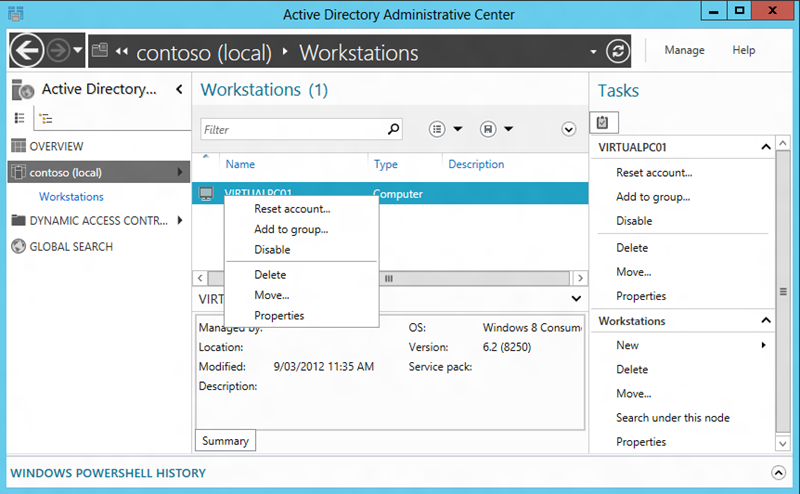 Step 2. Click on "Extensions" on the left and then on the "Attribute Editor" and then click on "distinguishedName" then the "View" button and press "CTRL-C" or copy the value.
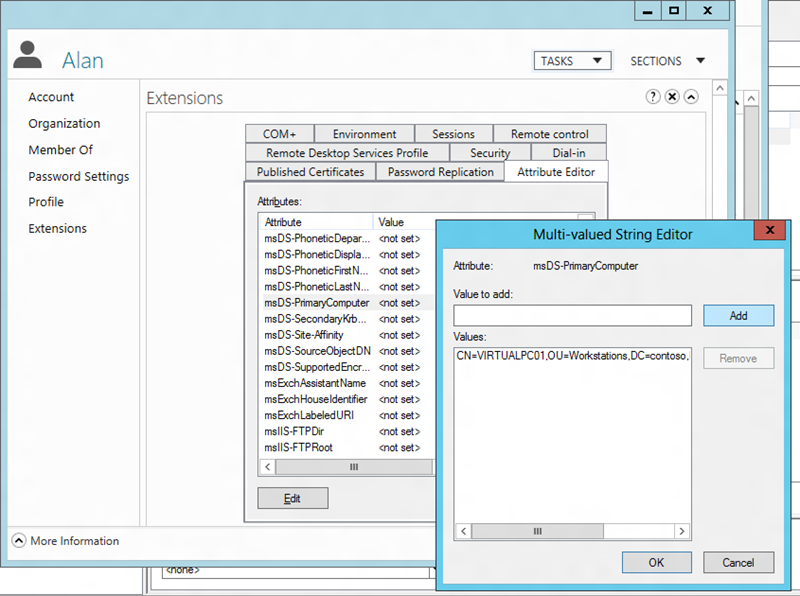
  Step 3. Now navigate the user account you want to assign a "Primary Computer" and go to the "Extensions" option and then open the "Attribute Editor" select the "msDS-PrimaryComputer" and click "Edit" then paste the Distinguished Name of the computer you copied in step 2 into the "Value to add:" field and click "Add". Note: This allows multiple values so the users can be configured to have multiple "Primary Computers".
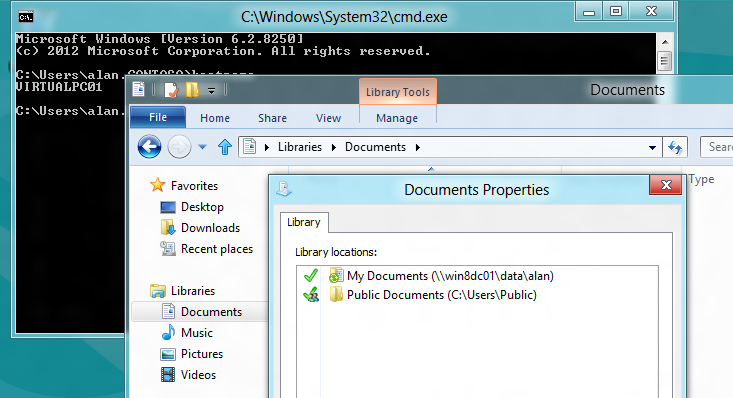
  Now when the user logs onto their primary computer they will get their redirected folder when they logon to the "Primary Computer".
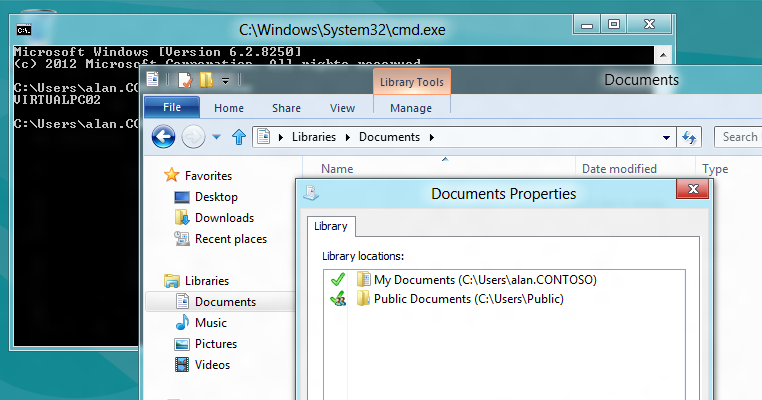
  But not when they logon to another computer...
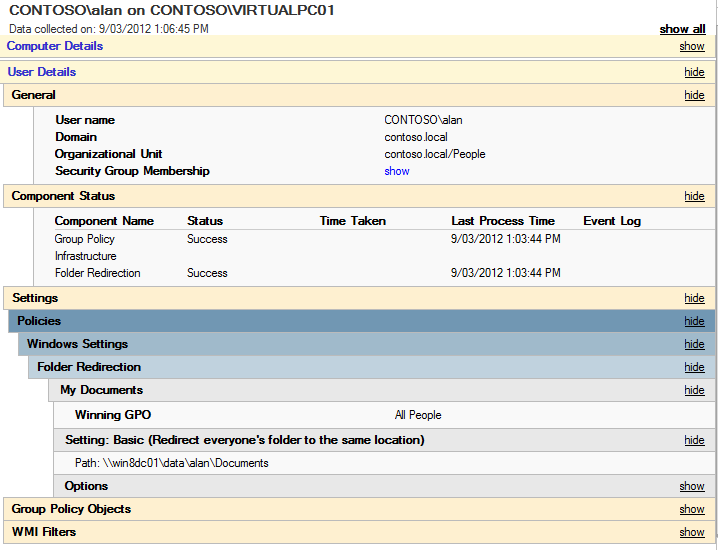
  Note: If you are wondering why folder redirection is (or is not) being applied if this setting is enabled be aware that the Group Policy Results Report will NOT tell you why (or why not) that folder redirection is applied (see below). Primary Computer with Folder Redirection
  Non-Primary Computer without Folder Redirection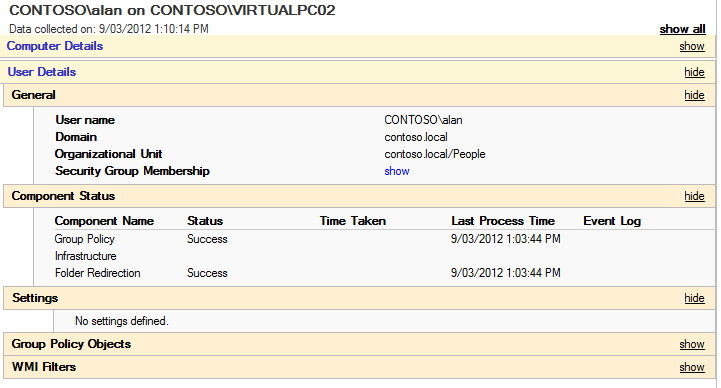
How to configure a “Primary Computer” (a.k.a. msDS-PrimaryComputer property) in Windows 8