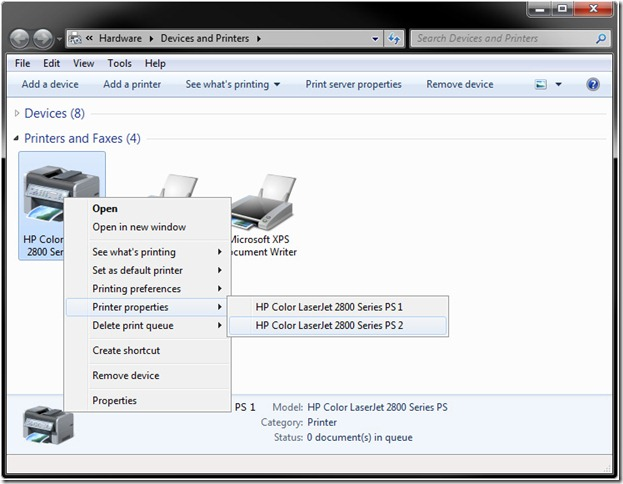
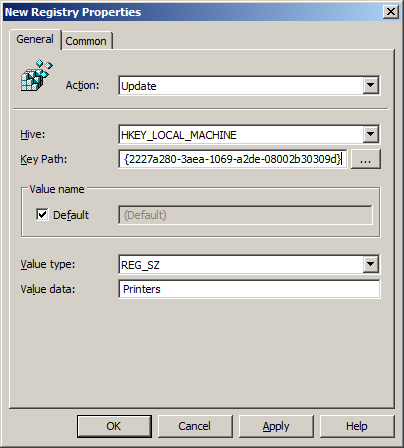
Aamer Shedam from Microsoft's Ask the Performance Team has just blogged about how Windows 7 will only show one printer in "Devices and Printers" if you have that same two printers installed on the one computer (see below). 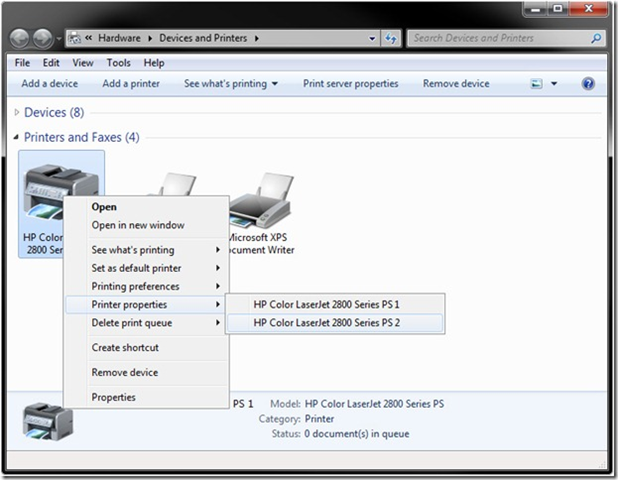 If your an IT Administrator and you want to configured the "Printer" view in Windows Explorer to show an icon for each printer using Group Policy then take a look at my instructions below. Key: HKLM\SOFTWARE\Microsoft\Windows\CurrentVersion\Explorer\Desktop\NameSpace\{2227a280-3aea-1069-a2de-08002b30309d} Value: (Default) Data: Printers Step 1. Edit a Group Policy Object that is applied to all the workstation you want this Browser Ballot disabled. Step 2. Navigate to Computer Configuration > Preferences > Windows Settings > Registry and create a "New Registry Item" Step 3. Type "SOFTWARE\Microsoft\Windows\CurrentVersion\Explorer\Desktop\NameSpace\{2227a280-3aea-1069-a2de-08002b30309d}" in the Key Path tick "Default", then select REG_DWORD as the value type "Printers" in the value data and then click "OK".
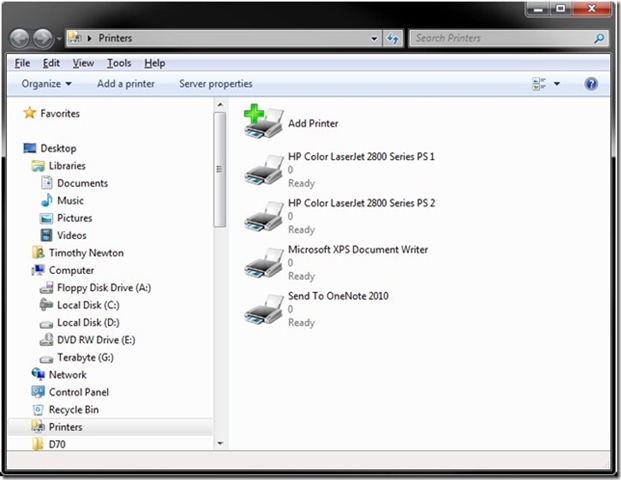
  Now all your computers will display this view in Windows Explorer.
  Links:
- See the blog post here Windows 7: Where are my printers?