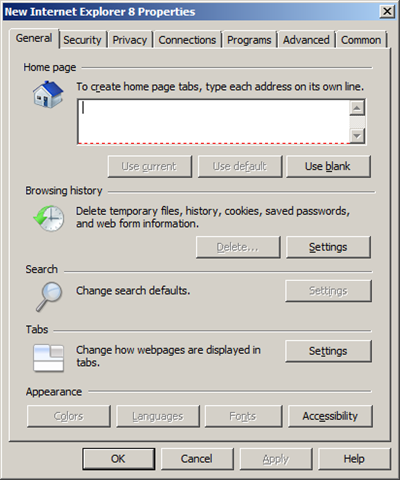
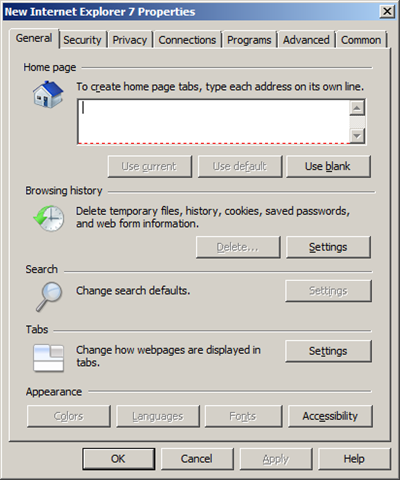
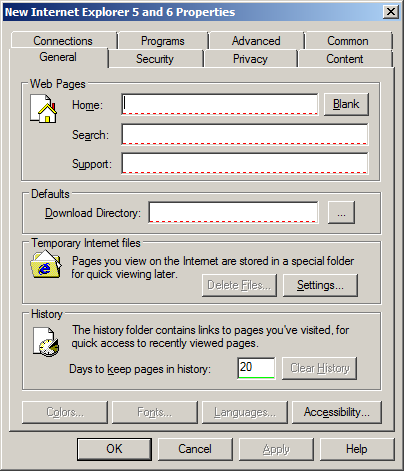
| In part 2 of how to use Group Policy to configure a users home page I will be show you how to use Group Policy Preferences to configure a users home page. There really isn't a right way you can set the users home pages setting it is really up to your requirements and how much control you want to have. The advantage of using Group Policy Preferences is that it allows you to specify a default home page but still allow users to change it if they want. Now there are three dialogue Internet Explorer setting that can be used to configured home pages in Group Policy Preferences. Internet Explorer 8 | Internet Explorer 7 | Internet Explorer 5 and 6 |
|---|---|---|
 |
 |
 |
| However as you can see the IE7 and IE8 screens are exactly the same so I will only go thought it using IE8 and the IE5/6 screenshots. If you do want to configure the IE8 setting remember that you will need to use the Internet Explorer 7 screen option instead however all the steps and affects are the same. |
Internet Explorer 5 & 6
Internet Explorer 5 & 6 does not support tabbed browsing so this makes it a lot simpler to setup as all you can specify a default home page. Also remember that the Group Policy Preferences Client Side Extensions are are not installed on Windows XP by default so you will need to make sure they are installed before these settings will work. Step 1. Edit a GPO that targets the users that you want to apply the home page setting. Step 2. Navigate to User Configuration > Preferences > Control Panel Settings > Internet Settings Step 3. Click on the "Action" menu and click on "New" and then click on "Internet Explore 5 and 6" 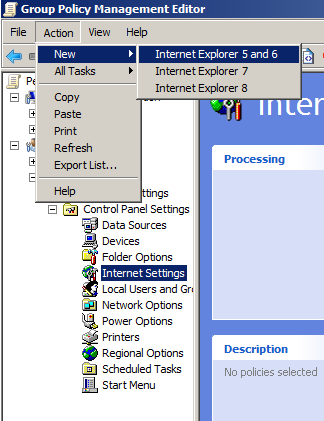 Step 4. Press "F6" Explanation: Pressing "F6" enables the individual settings for configuration. Notice this changes the red dotted line to a solid green line which means that only the "Home:" settings is enabled to be applied as a policy.
 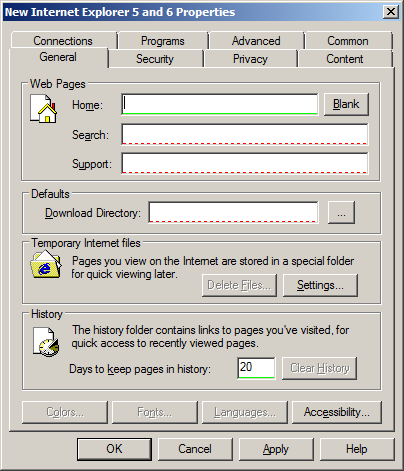 Step 5. Now type your home page URL in the "Home" text box and click "OK"
 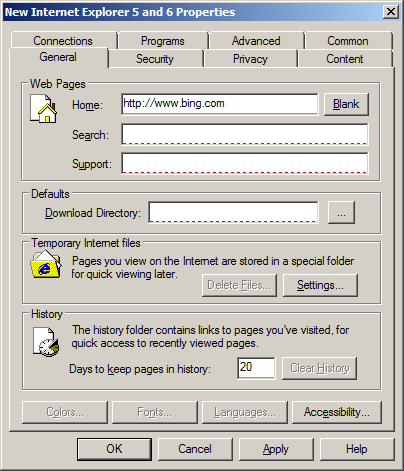 Your done. Now as this is a preference this will not prevent you users from changing the home page however it will be reset at the next group policy refresh.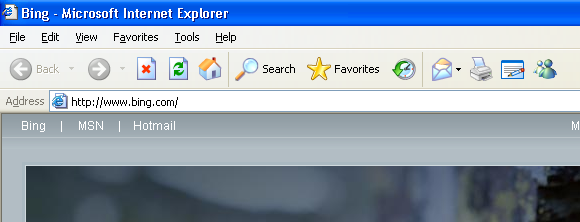
Internet Explorer 7 & 8
Internet Explorer 7 & 8 supports multiple tabs so you need can either configure a single default home page or a default home page with multiple secondary home page. Step 1. Edit a GPO that targets the users that you want to apply the home page setting. Step 2. Navigate to User Configuration > Preferences > Control Panel Settings > Internet Settings Step 3. Click on the "Action" menu and click on "New" and then click on "Internet Explore 8" (or "Internet Explorer 7") Step 4. Press "F6" 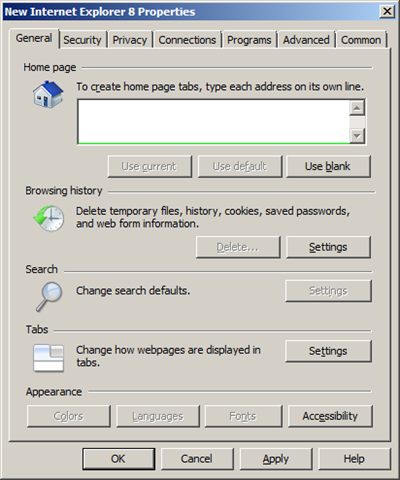 Step 5. Now add the URL (or URL's) for the pages you want to be displayed and click "OK". Note: If you only specify one home page then the user will be able to change the home page however it will reset after the next policy refresh.
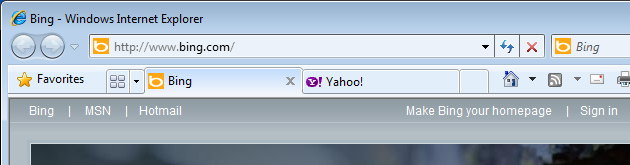
 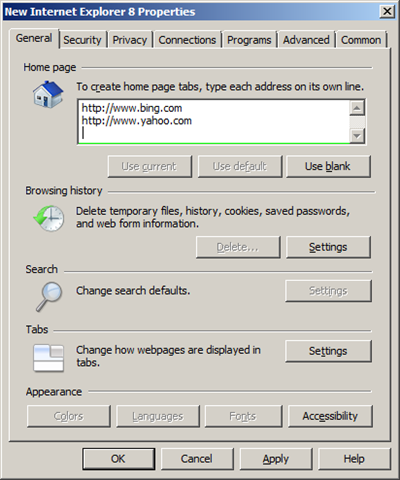 Again... your done. As you can see below your browser is configured with two default home pages.
  Note: Native Group Policies always take precedence over Group Policy Preferences so if you have you home pages configured using a native Group Policy (see Part 1) then this settings will be overridden.